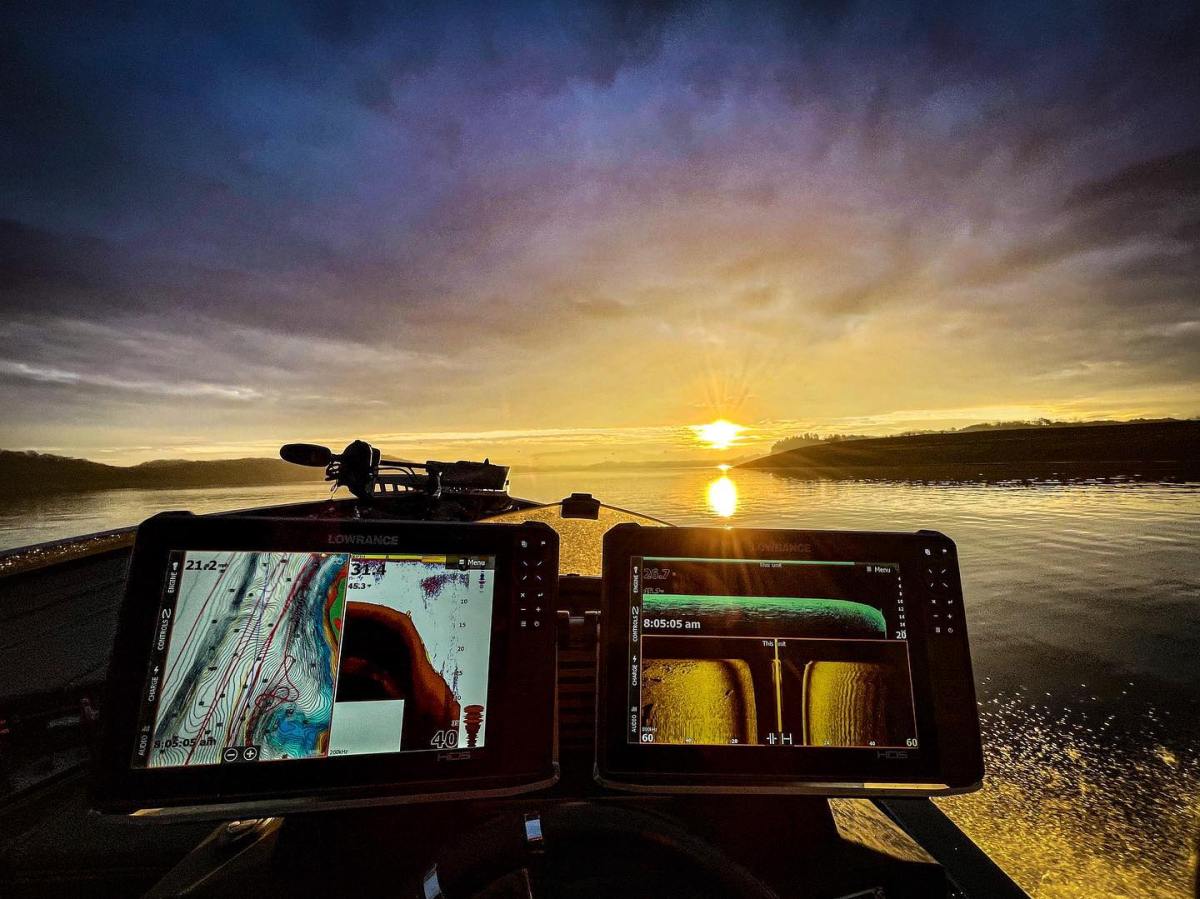

The best fishfinders for just about any type of fishing offer the most features with the least hassle. The technology has grown at such a rapid pace that sometimes it seems like it’s hard to get everything you can out of a basic unit unless you have a PhD in computer science or engineering. Fortunately, the best manufacturers take that into account and try to provide simple paths and processes so you don’t spend all of your time pushing buttons.
That’s good, because finding fish is one thing, and catching them is altogether another. You want to spend more time on that second part, the fun part, not fiddling with wires and trying to decipher what you’re seeing on a screen.
Even the Luddites among us can get tremendous value from today’s electronics, from safe navigation to targeting specific, isolated fish. When I think about what I had in the 90s and what’s on my boat today, I am thankful that I’ve reached a place of equilibrium, one where I am much more informed and aware than I was just a few years ago. Even if you’re resistant to upgrading, there’s probably a perfect fit for what you’re looking to do. And if you want the space-age technology, it’s out there and ready to be integrated into your angling program.
How We Tested the Best Fishfinders
I continue to spend a lot of time in the boats of top professional fishermen, some of whom are obsessive about their electronics and some of whom just tolerate them as necessary. But all of them know that in most cases, they can’t win without the best of the best. They’re brand loyal and spend a lot of time not casting, just tweaking their “toys.”
But I also spend time in other venues: looking for busting tuna and diving birds on radar, catching bottom fish in hundreds of feet of water, and sitting in mud-filled jon boats targeting panfish or catfish. The right electronics can benefit anglers in any of these situations, but budget, power, and your willingness to engage may limit your appetite beyond a certain point. That’s why I think I have a broad sense of what’s going on in this world – I spend some days never using my electronics at all, but when I know they’ll be helpful, I’m all-in on learning new features and applications.
The Best Fishfinders: Reviews and Recommendations
Best Overall: Garmin GPSMAP 8616xsv
See It
Pros
- Huge divisible screen
- Great built-in mapping
- LiveScope compatible
Key Features
-
16-inch screen -
Multiple display options -
Touch screen -
Price:
$6,300
I’ve been running Garmins on my boats for a few years, largely because they’re not only feature-rich but simple to use and not buggy in the least. They do what they’re supposed to do, every time. This is the Lamborghini or armored vehicle of the bunch, 16 inches of high-tech computing power that’ll give you everything you need, including touch screens. It supports the LiveScope, which I’ve learned to rely on in my daily outings, and favors older eyes that may struggle to see on smaller screens. It can be networked, too, if you want to build up a supercomputing center on your boat. You can see incredible detail from a distance, in any water clarity or any amount of sunlight. It’s certainly not cheap, but it replaces two or three other screens, so it’s quite cost-efficient.
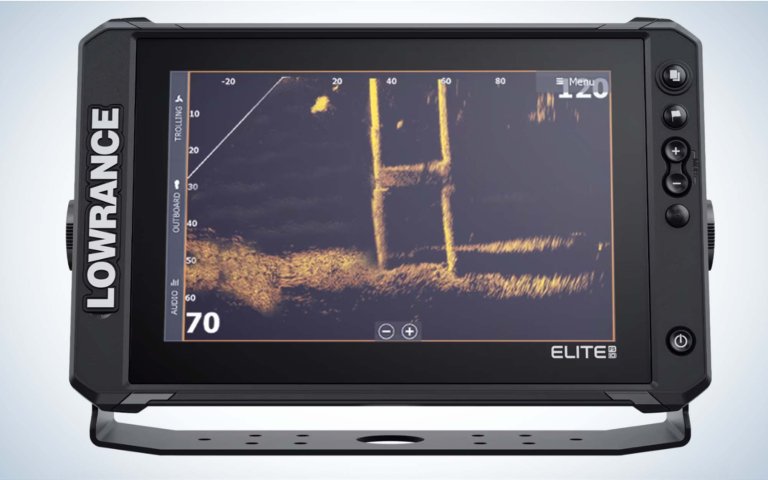
Best for a Tournament Boat System: Lowrance Boat in a Box Elite FS 10
Get the FS 10 Only at Bass Pro
Get the Boat in the Box Bundle
Pros
- A lot of bang for the buck
- Preloaded with thousands of lake maps
- Links with trolling motors and Power Pole shallow water anchors
Cons
- Needs more parts for ActiveTarget 2 Live Sonar
Key Features
-
Two Elite FS10 Units -
Includes ActiveImaging 3-in-1 transducer -
Touchscreen control -
Price:
$3,500
It’s easy to get out of control on spending if you’re setting up a new boat or retrofitting an old one, but this boxed package – which would have been the industry’s best a decade or so ago – provides a ton of features without having to shop piecemeal. That means you get mapping, the necessary antenna and transducer, even a gimbal mount and cables. All you need to do is set it up, and you can fish anywhere fish swim. A 10-inch screen is more than enough for most uses, and you can expand to forward-facing sonar if and when you see fit.
Best Under $400: Humminbird Helix 5 GPS G3
See It
Pros
- Crisp color display
- Exceptional value
- Lots of features built-in, and others can be added
Cons
- Screen size may be tough for older eyes
Key Features
-
5-inch screen -
CHIRP 2D sonar -
AutoChartLive included -
Price:
$350
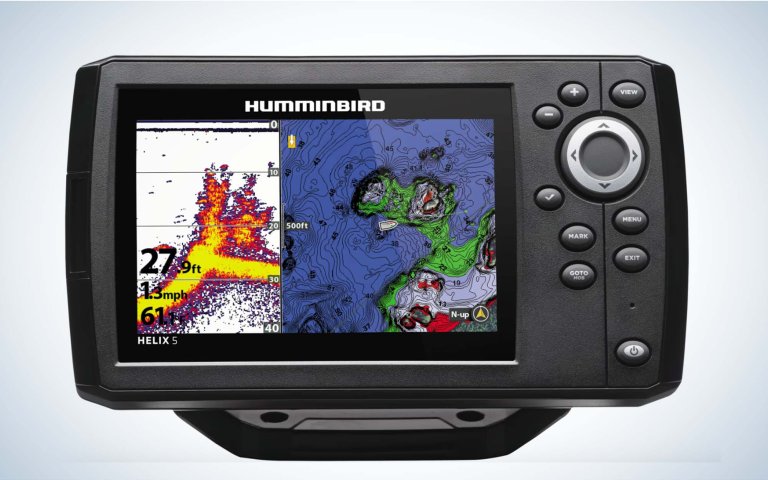
If you need basic mapping and two-dimensional sonar, but you don’t want to break the bank, Humminbird provides a budget-friendly option with lots of computing power in the Helix 3. The menus are surprisingly simple to work through and the pictures are detailed and accurate. The internal GPS, combined with a Humminbird Basemap and Navionics compatibility, will keep you safe and help you find efficient routes on just about any public body of water. Somehow this is one small screen that punches far above its price point.
Best Under $150: Lowrance Eagle Series 4X
See It
Pros
- Costs less than a high-end swimbait
- Color screen
- Simple button operation
Cons
- Limited categories of information
Key Features
-
4-inch screen -
Single frequency sonar -
Includes bullet skimmer transducer -
Price:
$120
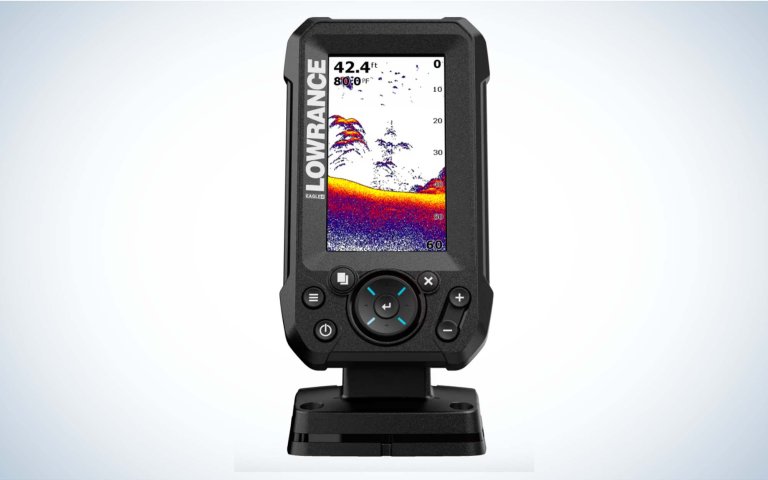
My first inclination was to say that this is a great unit if you simply need to know how deep it is, whether you’re running a jon boat, kayak, or canoe. But that would be unfair. I was surprised by how clear the color picture was on this easy-to-mount unit and how well it discerned brush, fish, and bait. It’s not flashy, but the object separation is solid, and it’s about as plug-and-play as you can ever imagine. It’s cheaper than even most mid-level rods these days, and will help you to become a better angler faster.
Best for Ice Fishing: MarCum LX-7 Digital Sonar/Lithium Shuttle Combo
See It
Pros
- Split-screen capability
- Battery included
- Lightweight for long hauls
Cons
- Some anglers depend on forward-facing capabilities these days, which this unit does not provide
Key Features
-
8-inch flat panel LCD screen -
Dual-beam transducer -
.5-inch target separation
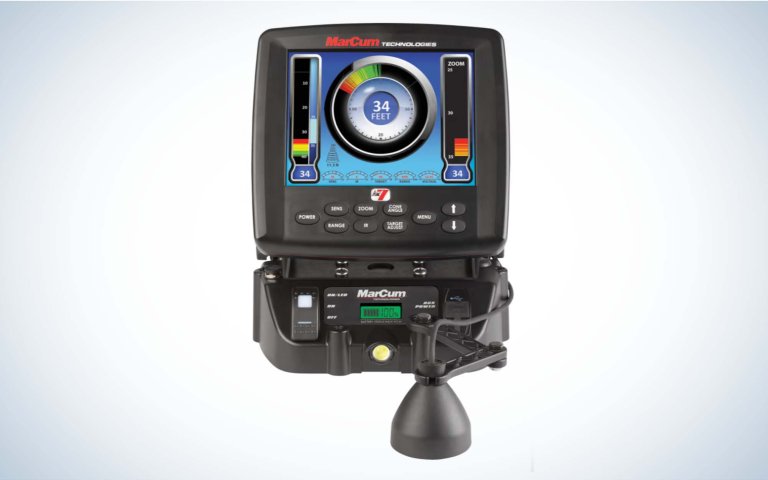
For some people, ice fishing is a religion, and for others it’s a way to pass the time until the water gets soft again, but either way, MarCum provides a complete package to carry you through the winter, filling your freezer and maximizing your time on the ice. It’s remarkably reasonable, too – enough to fish for a wide variety of species in a great range of depths without a whole lot of technical knowledge. Nevertheless, it is so much more capable than the flashers I started out with in the 1990s. The battery life is strong, and the LCD screen can be customized to include not just a traditional flasher look but also zoom and graph modes. Whether you’re targeting eating-sized perch or jumbo lakers, you’ll get a clear picture of what’s below the ice. The digital look makes it a standout.
Best Underwater Camera: Aqua-Vu HD7i-125 Gen2 Underwater Camera
See It
Pros
- True-to-life underwater video
- Works down to 125 feet
- Includes battery
Key Features
-
7-inch LCD screen -
125 feet of cable, marked for depth -
12V, 9Ah battery
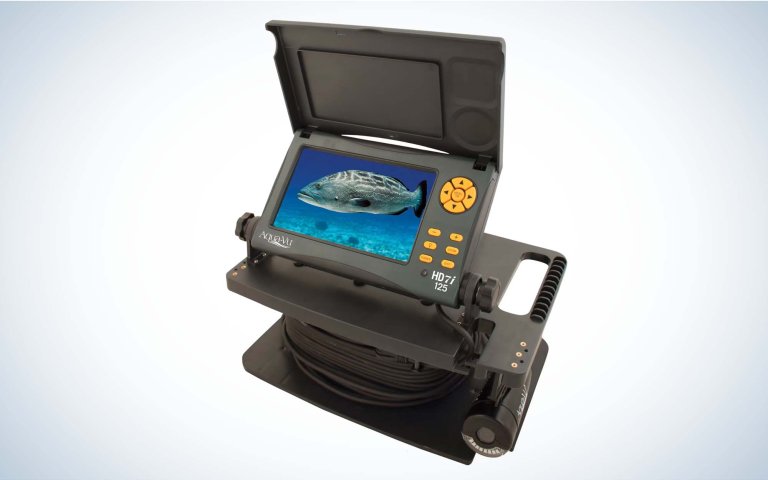
Even the best sonar unit can’t show you or tell you what you’re looking at with 100 percent accuracy. It’s all just pixels. But this is a complete underwater video camera system, used by competitors like Bassmaster Classic champ Jeff Gustafson to know exactly what’s under them. The images are amazing, as they’ve cracked the code even on low light conditions. It can even be used for ice fishing. This doesn’t replace sonar. For example, it’s not useful when running or for other navigational purposes, but nothing else will tell you what’s down below with such certainty.
Best for Mapping: Humminbird Xplore
See It
Pros
- Cross touch, high definition display
- Includes LakeMaster and CoastMaster charts
- Compatible with One Boat Network
Cons
- Many of Humminbird’s legacy products have similar features at a lower price
Key Features
-
Screen Size:
9, 10, or 12 inches -
1280×800 resolution -
Dual Micro SD slots -
Prices:
$1,300 to $1,700
I’ve owned Humminbird’s Helix and Solix units, and I always felt that they provided the best side-imaging capabilities, along with quality mapping. These Xplore models ratchet everything up a notch, making life far better for those who are mapping and waypoint addicts. The touchscreen is incredibly fast, and allows anglers to get to their favorite tools without delay, and the new waypoint management system provides space for 10,000 waypoints. That means you can graph day and night, building a tournament game plan, and we sure that you’ll be on “the juice” when money’s on the line. They’ve improved everything else, too, including picture clarity and visibility in bright sunlight. I’ve always liked Humminbird’s menu organization, but watching top pros operate these systems they seem even easier and more intuitive. It’s even better if you have a Minn Kota trolling motor, because the One Boat Network makes things seamless.
Looking for information on Mega Live vs LiveScope? Read our full article to learn which is best for you.
Humminbird Mega Live 2
See It
Key Features
-
Forward Mode, Down Mode, and Landscape Mode -
Compatible with XPLORE, SOLIX, and APEX fish finders -
Price:
$1,500
Garmin was the clear front runner in the forward-facing sonar race and their closest rival was Lowrance’s Active Target 2. But, the release of Humminbird Mega Live 2 shifted that dynamic. This new transducer improves target separation, clarity, and cuts noise. Basically, it works better and is easier to use than its predecessor. I wouldn’t rip out a Garmin LiveScope+ unit, but if you’re starting fresh and especially if you want to use a Minn Kota trolling motor and Raptor shallow-water anchor, the Mega Live 2 is a great option. The seamless integration of Humminbird, Minn Kota, and Raptor into the One-Boat Network makes your life easy and now you don’t have to compromise when it comes to FFS performance.
Read Next: 7 Forward Facing Sonar Tips: Settings, Mounting, and Techniques Explained
Garmin EchoMAP Ultra 2
See It
Key Features
-
1280×800 resolution -
2 microSD card slots -
Built-in CHIRP Sonar -
10 or 12-inch screen -
Built-in Garmin Navionics+ mapping -
Price:
$1,900 to $3,100
I’ve been running Garmin ECHOMAPs at the bow and console of my boat for several years and they’ve been the most pleasurable electronics experience of my more than three decades of boating. Everything about them is simple to set up and adjust, with no bugs or hiccups along the way. They provide crisp pictures, excellent mapping and simple wireless networking, not just to each other but also to a Garmin trolling motor, if you have one. The ActiveCaptain App makes it easy to update the units as necessary. The standout feature, though, has been the LiveScope at the front of the boat. I’m not a pure “scoper,” but it enables me to catch more fish every time out – simply by keeping my eyes open. Garmin was the OG in terms of forward facing sonar, and with each transducer change and software update they make it easier and easier to be more deadly. It’s amazing what the pros can do with LiveScope and an EchoMap, everything from telling what type of fish they’re seeing to whether it’s catchable. Even in the hands of someone like me it immediately makes you a better angler.
NBT
See It
Pros
- Compatible with up to two LiveScopes
- Up to six split scree boxes
- Remote control operation
Cons
- Large screens take up a lot of space
Key Features
-
Screen Size:
16, 18, or 22 inches -
1920×1080 resolution -
Touch screen -
Price:
$3,000 to $4,000

NBT Marine 22″ Screen – Seth Feider’s 2024 Rig
When we started seeing what looked like large screen televisions on the pros’ boats a year or two ago, at first I was convinced that we’d gone too far and jumped the shark. There’s no question that these jumbo units cost more than the average angler had planned to spend, but in some respects it actually demonstrates maximum efficiency and saves space. If you were planning to have two or more Garmin units at the front of your vessel, you can instead replace them with a single one of these, and then have all of your necessary views in a single place. If you want multiple LiveScope transducers, or up to six split screen boxes, or just want to see a single view blown up as large as possible, this is your go-to. Between the size of the screens and the quality of the picture, you’ll see the underwater landscape more clearly than ever. The screen is polarized with an anti-glare coating, so you’ll be able to see effectively no matter what angle the sun is at. You’ll still need to mount your data centers elsewhere, but outwardly nothing provides a cleaner look or more information in a single space.
How to Choose the Best Fish Finder
Budget
It’s possible to spend thousands and thousands of dollars on sonar and GPS units these days. Some anglers want more than one front and aft. Remember, each component you add has a multiplier effect in terms of additional needs – from batteries to wiring to transducer. Assess what you really need and put the money into that.
Features
With down-imaging, side-imaging, mapping and forward-facing sonar all on offer, it’s easy to get carried away and try to get everything. Sometimes less can be more – you’ll want to be graphing and fishing, not scrolling through menus. Buy what you need and look for units that can be upgraded through software or additional components if you decide you need them later.
Necessary Add-Ons
As noted above, the days of the $300 top-of-the-line sonar unit are over. Now, mounts and transducers and black boxes cost more than that by themselves. You might want to add locks for security, or covers so they don’t get damaged trolling down the highway. For my forward facing sonar, I added a zero-degree mount that cost just under $200. It’s made a huge difference in the integrity of my picture, but to be honest it was something I didn’t plan for.
Power and Space
More screen space provides more information, but only if you have the battery power to run it all. Low voltage will result in lower performance. Some anglers are adding dedicated batteries and wiring harnesses, which adds not only cost, but requires space and increases complexity. There’s also the safety factor – the higher and wider you pile your screens, the harder it can be to see past them while motoring down the lake or river.
Why Do You Need a Fish Finder?
Electronics on a boat serve a variety of purposes, related to both fish location and safety. Sonar in its varied forms allows a boater to know how deep the water is and what lies beneath the surface. Is there a point or hump underneath you? Is the bottom hard or soft? Are there baitfish or gamefish in the vicinity? A simple depth finder can also prevent you from running aground.
Mapping technology in the form of GPS allows newcomers to a body of water to break things down more quickly. You see where it’s safe to run, and where there are obstructions or obstacles. Furthermore, if you locate or catch fish in a particular type of area—say a long-tapering point or a 5-foot deep flat—you can quickly identify similar spots and see if a pattern emerges. Some models even tell you the tidal phase for your precise location, further enhancing both safety and fish-finding capabilities.
How Should Electronics Be Mounted?
Traditionally, most serious and best anglers have placed one electronics unit on the console of their boat and one on the bow, often with different features. For example, side-imaging may be more useful while driving, and front-facing may be more useful while operating the trolling motor. Often both units are networked to share GPS waypoints and other information.
If two units stretches your budget too far, it’s possible to put a single graph on the console on a swivel, and then rotate it depending on where in the boat you stand or sit.
Among top guides and professional anglers, the recent trend has been to run a total of four or five units, with varying functions on each screen, but this effort can quickly get up into the tens of thousands of dollars.
Things to Consider Before Buying the Best Fish Finder
As noted above, most of the earliest sonar models simply provided two-dimensional readouts. “Flashers” sent a “ping” to the bottom which bounced back to the unit. The amount of time that it took for the signal to return indicated the depth, and the length of the light on the unit indicated bottom hardness. Fish or other items that got in between the surface and the bottom in the unit’s cone-shaped signal were represented as “blips” and it took practice to decipher what they were. Eventually, these signals were replaced by two-dimensional drawings, either on paper or in pixels, that showed a more distinct picture of what was under the boat, although not precisely in real time.
Next came mapping, first through LORAN technology and then through GPS. Through either an internal or external “puck” the electronics units receive a location signal and then draw a picture of the map on the screen in front of you.
Subsequently, other sonar technologies were added. Side-scanning sonar allows a boater to idle along and shoot a beam out up to 150 feet off either or both sides of the boat to locate schools of fish, cover and structure. Down-imaging sonar provides a different version of the traditional two-dimensional picture, allowing boaters to use them separately or in concert to gain a complete picture of what’s under the boat. And front-imaging sonar, usually mounted trolling motor, allows you to see fish within casting range and them present a lure or bait to them. It also allows you to gauge their reaction to your offering in real time.
Read Next: How to Read a Fish Finder
Final Thoughts on the Best Fish Finders
No matter which brand, model or size of sonar you purchase, you’ll need to make sure that your best fish finder is rigged properly to get the most out of it. That starts with having sufficient battery power. Modern units will drain subpar batteries in a heartbeat, potentially stranding you on the water and rendering your expensive “computers” into costly paperweights.
You’ll also need to use the appropriate transducer, rigged straight and at the proper depth, to get true pictures at all speeds. Depending on where it’s mounted, you may want to buy some sort of shield or protector to prevent it from getting knocked off by the next stump you hit.
Heavy gauge wiring will also limit the degradation of information and prevent interference. In fact, some anglers have gone to dedicated high-tech wiring systems to ensure that they have a crisp and uninterrupted picture at all times.
Additionally, while many high-end units come with mapping software pre-loaded, there are a variety of aftermarket chips that can enhance the experience. Some are even built by local guides to include unmarked boat lanes and hazards.
Remember, you don’t need to have the biggest screen or the most powerful models to use electronics correctly or efficiently. Get what you can afford and what suits your needs, but remember — no one every complained about having too much computing power or a screen that’s too big. When in doubt, get the best that you can.
Read the full article here